We participate in affiliate programs, including Amazon Associates, and may earn commissions from qualifying purchases at no extra cost to you.
Indoor Security Cameras
Table of Contents
ToggleBest Indoor Security Cameras Without Monthly Fees
Indoor security cameras without monthly fees can give you reliable home monitoring, motion alerts, and local storage without locking basic features behind subscriptions.
Updated May 2026 • Reviewed by Smart Home Guide Editors
Reviewed By Smart Home Guide Editors
Indoor Security & Smart Monitoring Review Team
Products compared for local storage quality, motion alerts, privacy features, app experience, and long-term value without subscriptions.
Indoor security cameras are one of the easiest ways to keep an eye on your home, pets, kids, or valuables. But many popular cameras lock essential features behind monthly subscription fees, which can add up quickly.
The good news is that there are excellent indoor security cameras without monthly fees that still offer HD video, motion detection, night vision, and local storage.
In this guide, we break down the best indoor security cameras without monthly fees, compare top models, explain their pros and cons, and help you choose the right one for your home, even if you are a complete beginner.
If you live in a rental or smaller space, you may also want to compare these with our guide to smart cameras for apartments without drilling .
How We Selected These Indoor Cameras
We compared these cameras based on video quality, local storage support, app reliability, motion detection accuracy, smart assistant compatibility, and long-term usability without subscriptions.
The goal was to include options for apartments, pet owners, beginners, smart home users, and buyers who want to avoid recurring fees completely.
What Does “No Monthly Fees” Really Mean?
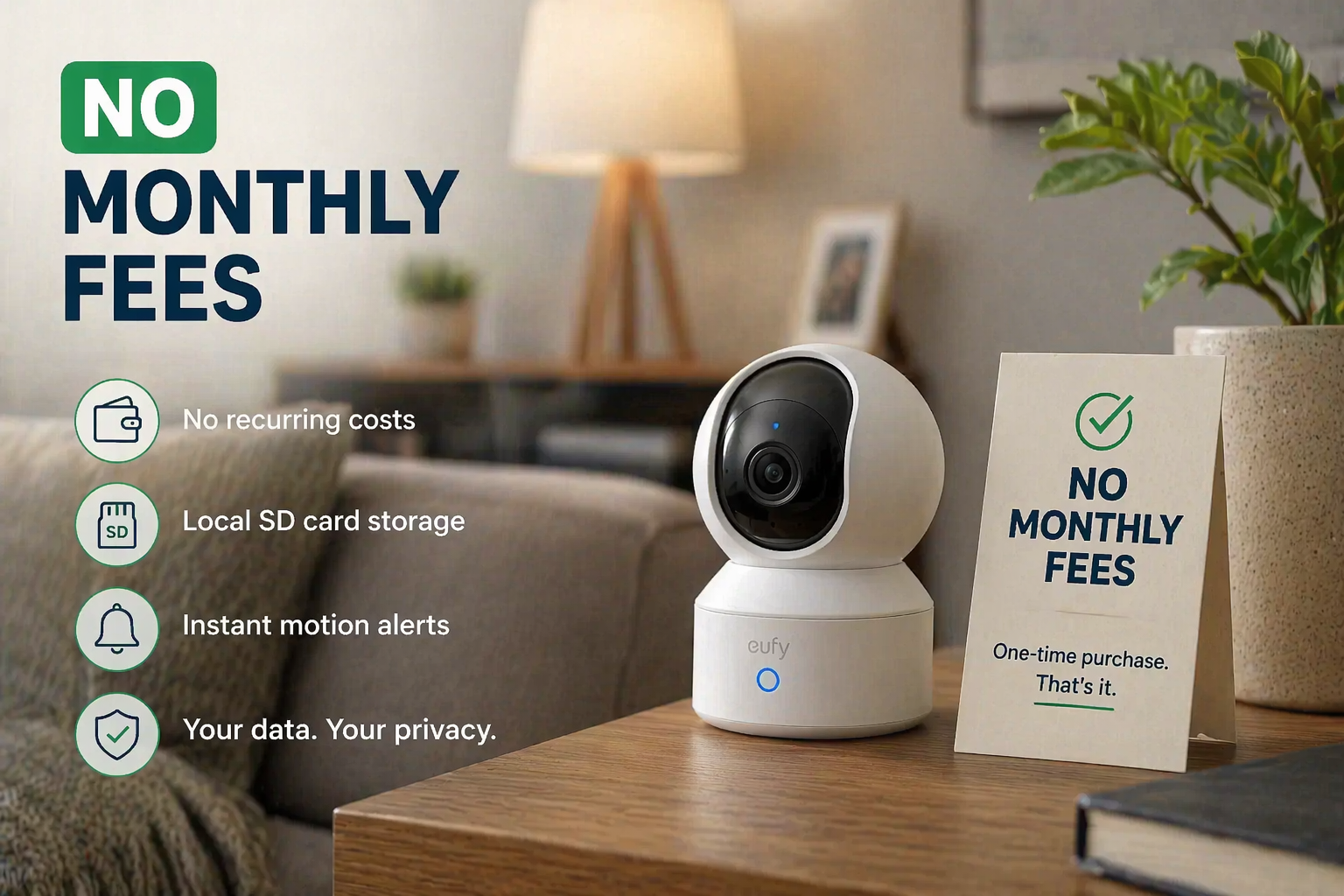
When a camera has no monthly fees, it means you can use its core features without paying for a subscription.
Most no-fee cameras include:
- Live view
- Motion alerts
- Local storage through an SD card or base station
- Basic app access
Some cameras may still offer optional subscription plans, but they are not required for basic security and everyday monitoring.
Why Choose an Indoor Security Camera Without a Subscription?
- No recurring costs
- One-time purchase only
- More control over your data
- Ideal for apartments and renters
- Better long-term savings
If you want reliable home monitoring without ongoing payments, these cameras are one of the smartest choices.
Best Indoor Security Cameras Without Monthly Fees (Quick Comparison)
| Camera | Video Quality | Storage Type | Night Vision | Best For |
|---|---|---|---|---|
| Eufy Solo IndoorCam | 2K | Local SD | Infrared | Best overall |
| TP-Link Tapo C110 | 2K | Local SD | Infrared | Best budget |
| Reolink E1 Pro | 4MP | Local SD | Infrared | High resolution |
| Wyze Cam v3 | 1080p | Local SD | Color night vision | Low-cost option |
| Aqara Camera Hub G3 | 2K | Local + Hub | Infrared | Smart home users |
Best Indoor Security Cameras Without Monthly Fees
1. Eufy Solo IndoorCam
Quick Take: Eufy remains one of the strongest options for users who want sharp video quality, local storage, and reliable indoor monitoring without subscription pressure.
Eufy is well known for subscription-free security, and the Solo IndoorCam delivers excellent performance at a fair price.
Key Features
- 2K HD video
- Local microSD storage
- Human and pet detection
- Works with Alexa and Google Home
- Privacy mode
Pros
- No monthly fees
- Sharp video quality
- Accurate motion detection
- Easy setup
Cons
- SD card sold separately
- No cloud backup by default
Best for: Users who want the best balance of quality, features, and price without subscriptions.
2. TP-Link Tapo C110
Quick Take: The Tapo C110 is one of the easiest budget recommendations because it keeps setup simple while still delivering clear 2K footage.
The Tapo C110 offers excellent value with 2K resolution at a very affordable price.
Key Features
- 2K video
- Local SD card storage
- Motion detection
- Night vision
- Tapo app control
Pros
- Very affordable
- No required subscription
- Simple app interface
Cons
- Basic smart features
- Plastic build
Best for: Budget-conscious buyers and first-time users.
3. Reolink E1 Pro
Quick Take: Reolink E1 Pro is a strong choice for larger rooms or users who care more about sharper indoor video quality.
The Reolink E1 Pro offers higher resolution than most indoor cameras in this price range.
Key Features
- 4MP Super HD video
- Pan and tilt control
- Local SD storage
- Motion detection
- Works without a subscription
Pros
- Excellent image clarity
- Wide room coverage
- No monthly fees
Cons
- App feels less polished
- Larger design
Best for: Large rooms or users who want sharper video.
4. Wyze Cam v3
Quick Take: Wyze Cam v3 continues to be one of the most affordable ways to get indoor monitoring with surprisingly useful features.
Wyze is popular for delivering solid features at extremely low prices.
Key Features
- 1080p HD video
- Local SD card storage
- Color night vision
- Motion detection
- Alexa and Google support
Pros
- Very affordable
- Color night vision
- Compact design
Cons
- Some features are locked behind an optional subscription
- Lower resolution than some competitors
Best for: Entry-level security on a tight budget.
5. Aqara Camera Hub G3
Quick Take: Aqara makes the most sense for users already building a larger smart home ecosystem with automation and Apple Home integration.
Aqara combines indoor security with smart home hub functionality, making it a strong option for users who want more than just video monitoring.
Key Features
- 2K video
- Local storage
- AI motion detection
- Works with Apple HomeKit, Alexa, and Google
- Built-in smart hub
Pros
- Strong smart home integration
- No mandatory subscription
- Privacy-focused
Cons
- Higher price
- Best suited for smart home users
Best for: Advanced users and smart home enthusiasts.
What to Look For in an Indoor Security Camera Without Monthly Fees
1. Storage Type
- Local SD card storage is the most common
- Base station storage can offer stronger privacy
Avoid cameras that require cloud storage only.
2. Video Quality
- 1080p: Good
- 2K: Better
- 4MP or higher: Best for clarity
3. Night Vision
Infrared night vision is standard, but some cameras also offer color night vision for better detail.
4. App and Alerts
A good app should provide:
- Fast live view
- Reliable alerts
- Easy playback
5. Smart Assistant Support
- Alexa
- Google Home
- Apple HomeKit
Indoor Camera vs Outdoor Camera
Indoor cameras are usually smaller, cheaper, and designed only for indoor environments.
Never use an indoor camera outdoors unless it is specifically rated for outdoor use.
If you need weatherproof protection, our guide to best outdoor security cameras for home security may help.
Are Indoor Security Cameras Without Monthly Fees Worth It?
- You want to avoid subscriptions
- You are monitoring pets or kids
- You live in an apartment
- You value privacy and local storage
These cameras can provide long-term savings and reliable protection without adding recurring monthly costs.
Why Trust Smart Home Guide
Smart Home Guide focuses on practical smart home recommendations for homeowners, renters, apartment users, and beginners building connected home setups.
Our recommendations prioritize setup simplicity, privacy, reliability, and real-world usability instead of just technical specifications.
Frequently Asked Questions
Do indoor security cameras without subscriptions still record video?
Yes. Most use local storage like microSD cards or base stations to save recordings without cloud subscriptions.
Are indoor security cameras good for apartments?
Yes. Many indoor cameras are compact, renter-friendly, and easy to install without drilling.
Which indoor camera is best without monthly fees?
The Eufy Solo IndoorCam is one of the strongest overall options because it combines sharp video quality, local storage, and strong privacy features.
Final Verdict: Best Indoor Security Cameras Without Monthly Fees
Best Overall: Eufy Solo IndoorCam
Great features, strong privacy, and no recurring costs.
Best Budget: TP-Link Tapo C110
Affordable, reliable, and beginner-friendly.
Best Video Quality: Reolink E1 Pro
Sharper video for larger spaces.
Best Smart Home Option: Aqara Camera Hub G3
Excellent for advanced smart home integration.
Ready to Secure Your Home Without Monthly Fees?
Indoor security cameras do not need subscriptions to be effective. With the right model, you can get peace of mind without recurring costs.
If you want more indoor monitoring ideas, apartment security tips, and smart home comparisons, continue exploring Smart Home Guide.
Check Best Overall Pick on Amazon
2 thoughts on “Best Indoor Security Cameras Without Monthly Fees (2026 Buyer’s Guide)”