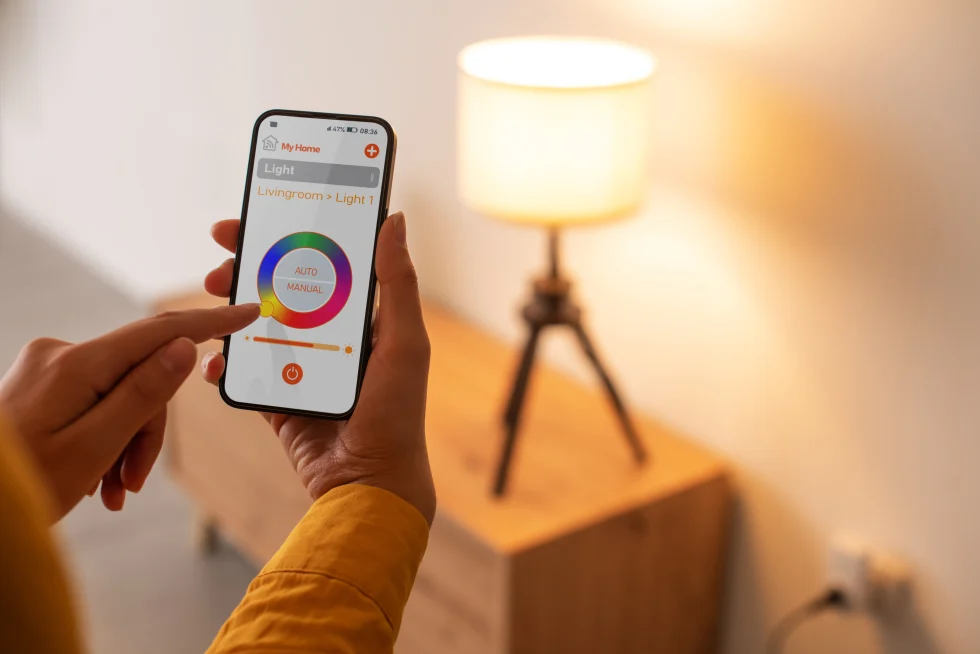
Smart lighting can transform your apartment — making everyday lighting easier, energy-efficient, and personalized. But if you’re renting or can’t rewire your space, what options actually work? This guide breaks down the best smart lightings for apartments that requires no rewiring, is easy to install, and fits renter-friendly lifestyles.
Whether you’re a tech newbie or just want better lighting, this guide will help you make an informed choice.
Table of Contents
ToggleWhy Choose Smart Lighting for Your Apartment?
Smart lights do more than just turn on and off. They can:
Adjust brightness and color
Schedule lighting based on routines
Respond to voice commands
Sync with music or movies
Save energy and reduce bills
The toughest part for renters? No rewiring allowed. Luckily, most smart lighting products today are plug-and-play.
Smart Apartment Lighting - What to Look For.
Before we dive into specific products, here’s what to consider:
🔌 1. Easy Installation
The best options work without any electrical work. Just plug in or screw in like a normal bulb.
📱 2. App & Voice Control
Does it support your phone or voice assistant (Alexa, Google Home, Siri)?
🔄 3. Connectivity
Wi-Fi smart lights don’t need hubs. Zigbee/Z-Wave systems might, but hubs offer more stability.
💡 4. Compatibility
Ensure it works with your phone, platform, or smart home system.
💵 5. Price vs. Value
Are you paying for features you’ll actually use?
Smart Lightings for Apartments (No Rewiring)
Below is a breakdown of the best options across categories.
Smart Bulbs — Easy Screw-In Lighting
Smart bulbs are the most renter-friendly smart lighting option. They work with existing fixtures — no rewiring or tools.
| Feature | Best Overall | Best Budget | Best Color Options | Best for Hubs |
| Model | Philips Hue A19 | Wyze Bulb | LIFX Color A19 | Sengled Smart |
| Connectivity | Wi-Fi + Hub | Wi-Fi | Wi-Fi | Zigbee |
| Voice Control | Alexa / Google / Siri | Alexa / Google | Alexa / Google / Siri | Alexa / Google |
| Color | ✔️ | ❌ | ✔️ (16M+) | ✔️ |
| Price | $$ | $ | $$$ | $$ |
| Energy Efficiency | ~105 lm/W | ~92 lm/W | ~90-100 lm/W | ~90 lm/W |
| Star Rating | 4.6–4.7 ★ | 4.2 ★ | 4.3–4.4 ★ | 3.7–4.0 ★ |
🔹 Philips Hue A19 Smart Bulb — Best Overall
Why it’s great
Easy to install — just screw into any lamp
Works with Hue Bridge or alone on Wi-Fi
Excellent app controls and routines
Reliable and responsive
Pros
✔ Great reliability and ecosystem
✔ Huge range of accessories
✔ Works with Alexa, Google, Siri
Cons
⚠ Bridge adds cost
⚠ Pricier than basic bulbs
Best for: Renters who want expandable smart lighting.
🔹 Wyze Bulb — Best Budget Smart Bulb
Why it’s great
Affordable smart bulb with good performance
No hub required
Simple app and voice controls
Pros
✔ Very cheap
✔ Easy setup
✔ Works with Alexa & Google
Cons
⚠ No color options
⚠ App isn’t as robust as others
Best for: Beginners or budget-minded renters
🔹 LIFX Color A19 — Best for Vibrant Lighting
Why it’s great
Stunning color range (16M+ colors)
Wi-Fi connected — no hub
Great for ambiance
Pros
✔ Excellent color accuracy
✔ No extra hardware
✔ Voice control friendly
Cons
⚠ Slightly higher cost
⚠ Wi-Fi only — can be unstable in congested networks
Best for: Apartments where mood lighting matters
🔹 Sengled Smart Bulb (Zigbee) — Best for Hub Users
Why it’s great
Works with a Zigbee hub like SmartThings or Hue Bridge
Affordable bulbs
Pros
✔ Lower cost per bulb
✔ Good hub integration
Cons
⚠ Requires hub
⚠ Setup more complex than Wi-Fi bulbs
Best for: People building a smart ecosystem
Smart Light Strips — 📊 Smart Light Strips Comparison
| Feature | Best for TVs | Best Budget | Best Outdoor |
| Model | Govee TV Light Strip | TP-Link Kasa LED | Philips Hue Outdoor |
| Connectivity | Wi-Fi | Wi-Fi | Wi-Fi + Hue |
| App Control | ✔ | ✔ | ✔ |
| Color Options | ✔ 16M | ✔ 16M | ✔ 16M |
| Price | $$$$ | $$ | $$$ |
Light strips add color or accent lighting to shelves, TVs, and corners — no wiring required.
🔹 Govee TV Light Strip — Best for TV/Backlighting
Why it’s great
Designed to attach behind TVs
Syncs with audio for immersive effect
App controls brightness, color, and effects
Pros
✔ Great mood lighting
✔ Affordable
✔ Easy install
Cons
⚠ Uses adhesive — can leave residue
⚠ Lower brightness than bulbs
Best for: Accent lighting and entertainment setups
🔹 TP-Link Kasa Smart Light Strip — Best Budget
Why it’s great
Affordable and app friendly
Works with Alexa and Google
Pros
✔ Cheap
✔ Adds fun lighting effects
Cons
⚠ Adhesive may wear off
⚠ Not super bright
Best for: Beginners and casual mood lighting
Why it’s great
Weather-resistant
Excellent app and ecosystem
Works with all Hue accessories
Pros
✔ High quality build
✔ Excellent color and brightness
Cons
⚠ Needs Hue Bridge
⚠ Expensive
Best for: Balcony or patio lighting
Plug-In Smart Lamps & Fixtures — No Bulb Replacement
If your apartment is full of fixtures you can’t change, plug-in smart lamps are ideal. Smart lighting for apartments.
Why Go Plug-In?
No bulb or socket changes
Just plug into an outlet
Great for desks, side tables, or corners
🔹 Smart Plug + Lamp Combo
One of the most flexible tricks is to pair a smart plug with a lamp you already own.
How it works
Plug your lamp into a smart plug
Control it via app or voice
No bulb or fixture changes
Pros
✔ Works with ANY lamp
✔ Great budget option
✔ Schedules and automation
Cons
⚠ Must leave lamp switched “on” physically
⚠ No advanced color unless the bulb supports it
Best for: Renters who want fast smart lighting without changing fixtures
Smart Lighting Accessories Worth Considering
Here are accessories that boost your smart lighting experience:
📍 Smart Dimmer Switch (No Wiring Needed)
Battery-powered smart dimmers stick to your wall and control smart bulbs — like a remote control.
Best for: People who miss the feel of traditional wall switches
📱 Smart Home Hubs
Some systems use a hub (Hue Bridge, SmartThings Hub, etc.). A hub can:
Add stability
Connect more devices
Enable advanced automation
Note: Hubs are optional for most Wi-Fi lights, but helpful for larger setups.
Pros and Cons: Smart Lighting in Apartments
| Benefit | Why It Matters |
| No Rewiring | Perfect for rentals — install without permanent changes or landlord approval, and remove easily when moving. |
| Easy Setup | Plug-and-play design fits any lifestyle — adhesive backing and simple app pairing mean setup in minutes, no tools or electrician needed. |
| Energy Savings | Uses far less power than traditional bulbs (LED efficiency) — lower electricity bills and eco-friendly operation, especially with auto-off schedules. |
| Custom Lighting | Schedule routines, create scenes, and choose from millions of colors — match your mood, activity, time of day, or even sync with TV/music for immersive ambiance. |
| Voice Control | Hands-free convenience — say "Alexa, dim the lights" or "Hey Google, set movie mode" while relaxing, cooking, or entertaining, no need to reach for your phone. |
| Drawback | What to Know |
| Wi-Fi Limits | Network hiccups, outages, or weak signals can disrupt lights — they may become unresponsive, slow to change, or lose connection until Wi-Fi recovers. Consider models with offline fallback or Zigbee/Z-Wave if this is a concern in your home. |
| Initial Cost | Some systems (especially premium brands like Philips Hue or advanced Govee setups) cost more up front compared to basic non-smart strips — factor in potential hub costs and longer-term savings from energy efficiency. |
| App Learning Curve | Some apps are complex with many menus, scenes, and integrations — it can take time to learn scheduling, music sync, or voice control. Budget brands often have simpler (but less feature-rich) apps. |
| Adhesive Strips | The strong adhesive can leave residue or damage paint/wallpaper when removed — especially on textured surfaces or after long periods. Use gentle removal techniques (heat gun, fishing line, or adhesive remover) or choose clips/mounts if you're in a rental. |
Quick Buying Guide (For Beginners)
Here’s how to choose based on your needs:
🏠 For Renters Who Want Simple
Go with: Wi-Fi smart bulbs (Wyze, LIFX)
Why: Screw in and control from your phone — no hubs.
💡 For Ultimate Control
Go with: Philips Hue plus Bridge
Why: Most reliable system with robust automation.
🎮 For Mood & Entertainment
Go with: Light strips (Govee or Hue)
Why: Enhance TV and ambiance with colors.
💰 On a Budget
Go with: Smart plugs + existing lamps OR basic bulbs
Why: Affordable smart lighting without extra hardware.
Installation Tips — No Electrician Needed
Here’s how to set up your smart lighting in minutes:
Replace bulbs: Screw smart bulbs into fixtures.
Plug in devices: For lamps and strips, just plug them into outlets.
Download apps: Use the manufacturer’s app for setup.
Connect to Wi-Fi: Follow prompts in the app.
Link voice assistants: Add to Alexa/Google/Apple if desired.
Set routines: Schedule lights for wake-up or bedtime.
Troubleshooting Common Issues
Wi-Fi Not Connecting?
Move lights closer to router
Restart router and lights
Ensure 2.4GHz network is used (most bulbs require it)
Lights Not Responding to Voice?
Check voice assistant settings
Re-link the app account
Ensure device names are unique
Final Thoughts
Smart lighting doesn’t have to be expensive, complicated, or require rewiring. Today’s smart bulbs, light strips, and plug-in options make it easy for apartment dwellers to enjoy modern, personalized lighting with minimal effort.
Whether you want basic control, vibrant colors, or advanced routines — there’s an option that fits your apartment and lifestyle.
Ready to Light Up Your Apartment?
Start with one smart bulb or strip, see how it fits your space, then expand from there. Light up smarter — today!