Smart Home Basics
Table of Contents
ToggleHow Does a Smart Home Work for Beginners? (2026 Guide)
Understanding how a smart home works is easier than most beginners think. Modern smart-home systems connect devices, apps, and automation routines to make everyday life more convenient and efficient.
Updated May 2026 • Reviewed by Smart Home Guide Editors
Reviewed By Smart Home Guide Editors
Smart Home Education Team
Smart-home concepts reviewed for beginner friendliness, ease of setup, compatibility, automation potential, and practical real-world usability.
If you've ever wondered how does a smart home work, you're not alone. Many people hear terms like smart devices, automation, Alexa, and smart hubs but aren't sure how everything fits together.
The good news is that a smart home is simply a collection of connected devices that communicate with each other and can often be controlled from your smartphone, voice assistant, or automation routines.
Whether you're starting with a smart plug, smart light bulb, or smart lock, understanding the basics will help you build a smarter and more connected home over time.
What Is a Smart Home?
A smart home uses internet-connected devices that can be controlled remotely or automatically.
These devices can include:
- Smart lights
- Smart plugs
- Smart thermostats
- Smart locks
- Smart cameras
- Smart speakers
- Smart sensors
Instead of manually controlling every device, smart-home systems allow devices to work together through apps, voice assistants, or automation rules.
How Does a Smart Home Work?
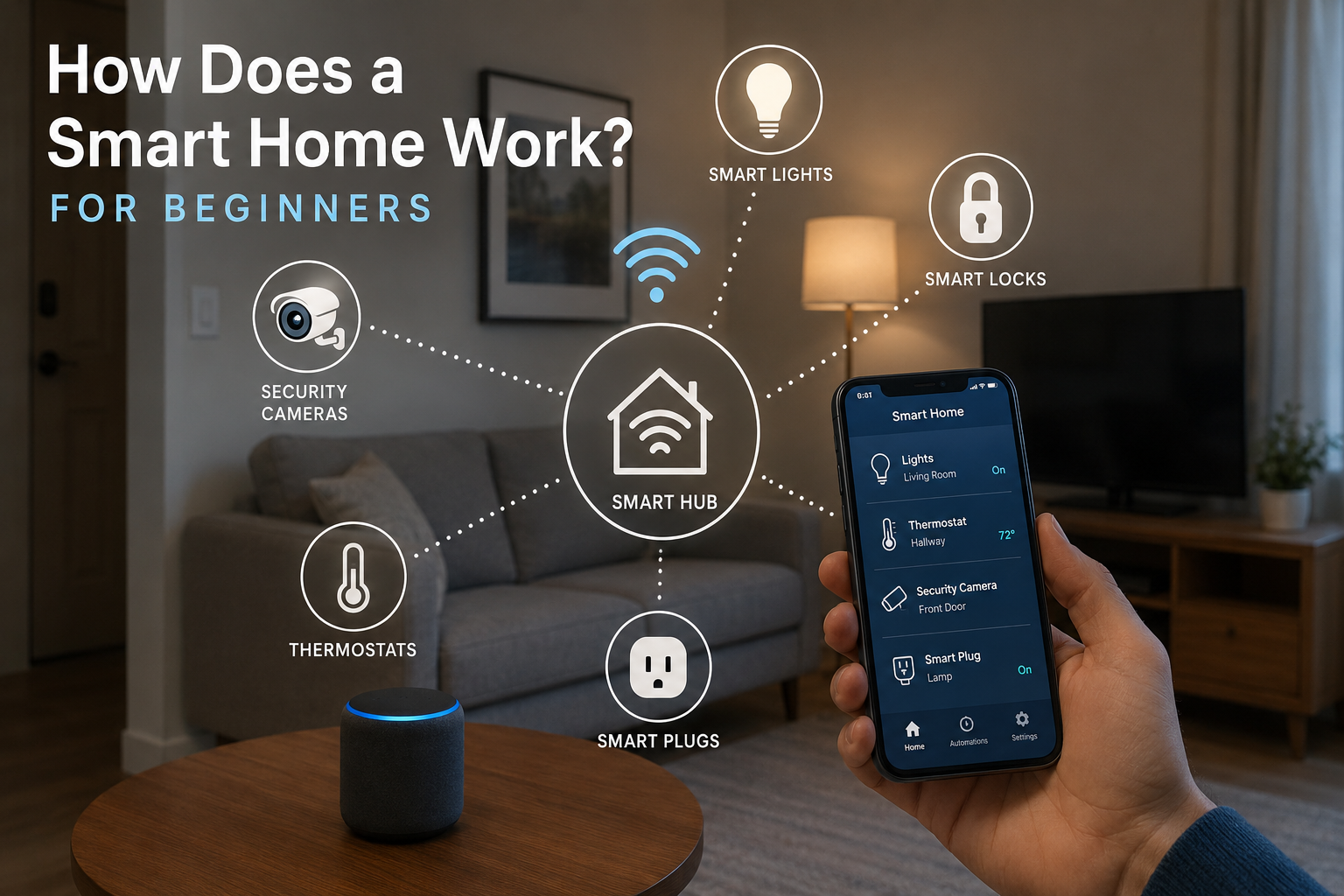
At its core, a smart home works by connecting devices through your home's WiFi network or a smart-home hub.
Once connected, these devices can send information, receive commands, and communicate with other smart devices.
For example:
- A smart door sensor detects that a door opens
- The system sends a notification to your phone
- A smart light automatically turns on
- A security camera starts recording
This process happens automatically through automation rules that you create inside your smart-home app.
The 4 Main Parts of a Smart Home
1. Smart Devices
These are the products that perform actions, such as smart bulbs, cameras, plugs, and locks.
2. Internet Connection
Most smart devices use WiFi to connect to your home network and communicate with apps.
3. Control App
Apps allow you to manage devices, create schedules, and receive notifications.
4. Automation
Automation lets devices work together automatically without requiring manual control.
WiFi vs Smart Home Hubs
Many beginners start with WiFi devices because they are easy to install and don't require extra hardware.
However, larger smart-home systems often benefit from using a hub.
A smart-home hub acts as a central controller that helps devices communicate more efficiently.
To learn more, visit our guide: Best Smart Home Hubs for Alexa and Google Home
How Smart Home Automation Works
Automation is what makes a smart home truly useful.
Instead of manually controlling every device, you create rules that tell devices what to do automatically.
Examples include:
- Turn lights on at sunset
- Lock doors every night at 10 PM
- Turn off smart plugs when nobody is home
- Receive alerts when doors open
- Adjust temperature automatically
Automation saves time while improving convenience and efficiency.
A Beginner Smart Home Example
Imagine you come home from work:
- Your smart lock unlocks the door
- Your hallway lights turn on automatically
- Your thermostat adjusts the temperature
- Your security camera pauses indoor monitoring
These devices work together because they are connected through your smart-home system.
Many beginners start with Alexa-compatible products because they are easy to set up and use.
You can explore compatible devices here: Best Smart Light Switches for Alexa and Google Home
Common Smart Home Mistakes Beginners Make
- Buying incompatible devices
- Ignoring WiFi coverage
- Using weak passwords
- Skipping automation features
- Buying too many devices at once
Starting with a few simple devices and expanding gradually usually creates a better experience.
Why Trust Smart Home Guide
We focus on practical smart-home products and educational guides that help beginners understand smart-home technology without unnecessary technical jargon.
Our recommendations and guides prioritize simplicity, compatibility, automation potential, and real-world usability for everyday homeowners and renters.
How We Evaluate Smart Home Products
We focus on realistic smart-home usability instead of only technical specifications or marketing claims.
We evaluate smart-home products based on ease of setup, reliability, compatibility, automation features, app quality, and long-term usability.
Frequently Asked Questions
Do smart homes require WiFi?
Most smart-home devices require WiFi or another wireless communication method to connect and communicate.
Can I build a smart home without a hub?
Yes. Many WiFi devices work without a hub, although hubs can improve automation and device compatibility.
What is the easiest smart-home device for beginners?
Smart plugs and smart bulbs are often the easiest devices for beginners to install and use.
Are smart homes worth it?
For many homeowners, smart homes improve convenience, automation, energy efficiency, and home security.
Final Verdict
Understanding how does a smart home work is the first step toward building a connected and automated home.
Smart homes combine devices, apps, WiFi networks, and automation routines to make everyday tasks easier and more convenient.
Whether you start with a smart plug or build a fully automated system, smart-home technology can grow with your needs over time.
According to the U.S. Department of Energy , smart-home technology can help improve convenience, energy efficiency, and control over connected devices throughout the home.